
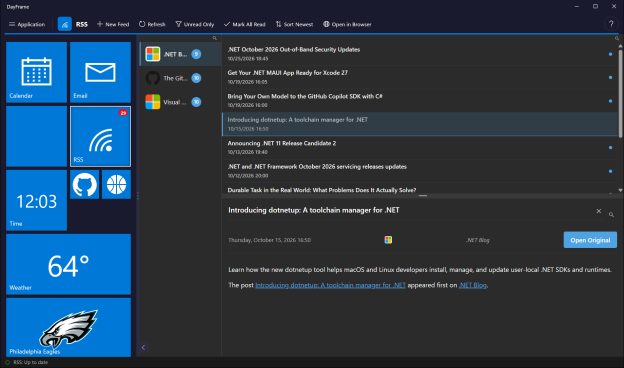
The last thing I wrote here was part 1 of my .NET MAUI Hybrid journey, back in April 2024. Well… that journey got a LOT bigger than I expected. For the last three months I’ve been building a Windows desktop app live on stream almost every day, and today it’s in the Microsoft Store. Let me introduce you to DayFrame.
Get DayFrame from the Microsoft Store
Too Many Tabs
Count the things you check before lunch. For me it’s two email accounts, my calendar, a handful of GitHub repositories, Bluesky and Mastodon, some RSS feeds, the weather, and (I’m not proud of this) the stock market and the scores. That’s a browser full of tabs, three or four apps, and a phone I keep picking up to see if anything changed. Most of the time, nothing had.
I wanted ONE window that tells me what’s new before I click on anything. Something with the density of Outlook on the desktop, not a phone app stretched across a 27-inch monitor.
I also wanted it to be mine. I didn’t want another service holding my mail, another account to create, or another app quietly phoning home. If something is going to sit open on my desktop all day, it should work for me and nobody else.
It Started With a Chat Message
On July 23rd I was live on my Twitch and YouTube channels, talking about AI agents and what they could do for us, when Egil Hansen dropped a comment in chat: think about what we could have had if the Windows Phone aggregation of calendar, text, email and photos was still a thing. Here’s the moment, cued up for you:
Egil said Windows Phone. I heard live tiles. If you had a Windows Phone, you remember that Start screen: tiles that flipped over to tell you what was waiting before you ever opened an app. I made the first commit that evening.
The plan was an Outlook-style email client with a navigation pane down the left. Two days later that pane was a rail of live tiles and the email tile had an unread badge. Then I made it flip to show the newest sender. Then I noticed I was reading the tile instead of opening my email. Ok.. so the rail wasn’t navigation anymore. The rail was the product.
So What Is DayFrame?
DayFrame is a Windows desktop app. Down the left side is a rail of live tiles, one for each module. Each tile tells you what’s new: unread mail, your next meeting, the temperature outside, the market close, the score of the game. Click a tile and that module fills the rest of the window.
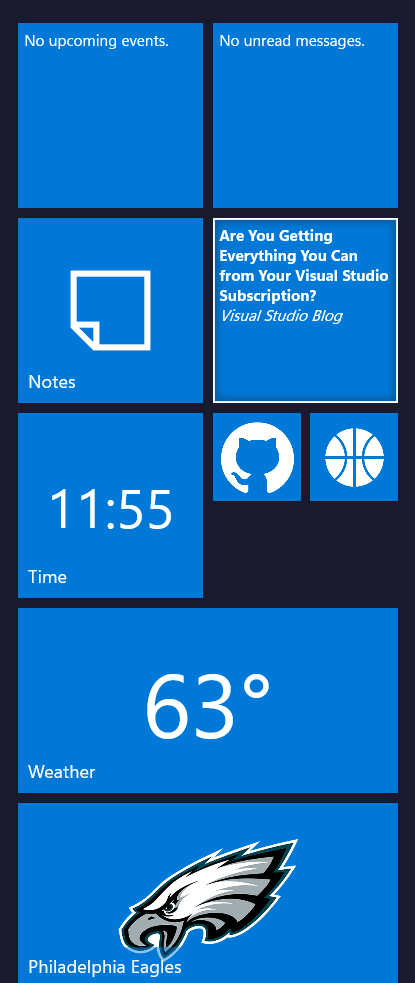
Live tiles show what’s new before you click
These modules are on from the first start:
- Email: Gmail, or any IMAP account (Yahoo, AOL, iCloud, Posteo, Mailbox.org, Zoho or your own
server), with folders, search and a reading pane - Calendar: day, week and month views from Google or any CalDAV server
- Contacts: your address book from Google or any CardDAV server
- Notes: a folder of Markdown notes with links between them. Point it at your Obsidian vault and
it just works - Time: clocks for the time zones you work across
- Weather: forecasts for the places you care about
- RSS: your news and blog feeds, with the full article in a reading pane
And these are a click away in Settings when you want them:
- GitHub: issues, pull requests and notifications for the repositories you watch
- Asana: your tasks. Complete them, comment on them and reschedule them right from DayFrame
- Bluesky and Mastodon: your timelines and notifications
- Twitch: whether you’re live, who’s watching, your schedule, and which channels you follow are
live right now. Yes, I built this one for me, and it’s on my second monitor during every stream - Market News: quotes, charts and headlines for your watchlists
- Sports: scores, schedules and news for your teams
Two more things I love. Boards let you build your own dashboard out of widgets from the other modules: your inbox next to today’s calendar next to the weather next to your open pull requests. Drag them anywhere, resize them, and pin the whole board to the rail as one wide tile. And you can pin any place to the rail: one mail folder, a single feed, a repository, a stock ticker, your favorite team. It gets its own live tile.
Make It Yours!
Here’s where I’ve had the most fun. If you’re going to spend hours a day in an app, you should enjoy looking at it, and that’s been a priority from the very first week.
The basics are all there: light and dark themes (or follow Windows), text size, zoom on each pane, one, two or three columns of tiles, and the tiles in whatever order you drag them into. You can recolor every tile at once, or give each module its own background, text color and flip speed.
But then there are the tile materials. A tile doesn’t have to be a flat square of blue. You can pick a gradient like Ocean, Sunset or Aurora, or a texture: wood grain, marble, brick, cork board, denim, chalkboard, brushed metal, carbon fiber… and then it gets silly. There are six colors of glitter and a Holographic Foil, and a glint catches the light on one of them every couple of seconds. There’s Dragon Scales. And there’s Green Slime, which drips now and then and wobbles when you click it. I regret nothing.
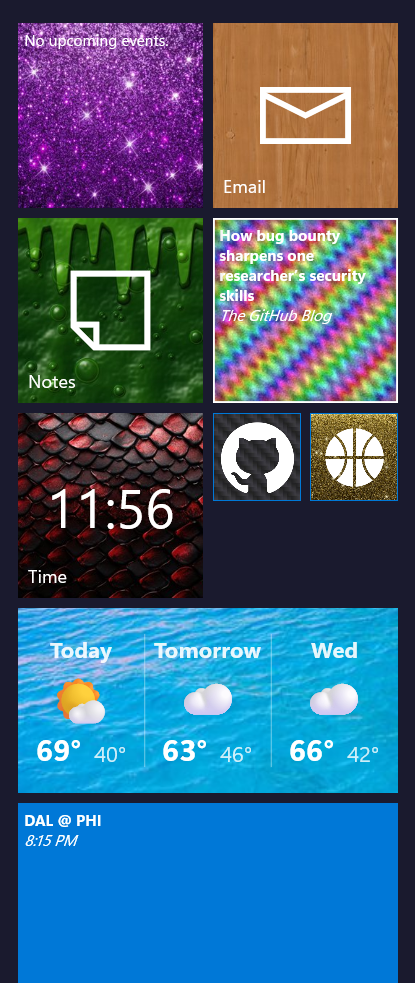
Yes, that tile is made of slime
Boards get the same treatment. Pick a ready-made style like Paper, Midnight, Forest, Mermaid, Dragon, Neon Tokyo or (for those of us who remember Windows 3.1) Hot Dog Stand. Or choose your own fonts, colors, borders and a background image of your own. There’s a Check contrast button that finds any text that would be hard to read against your background, because your board should look great AND be readable.
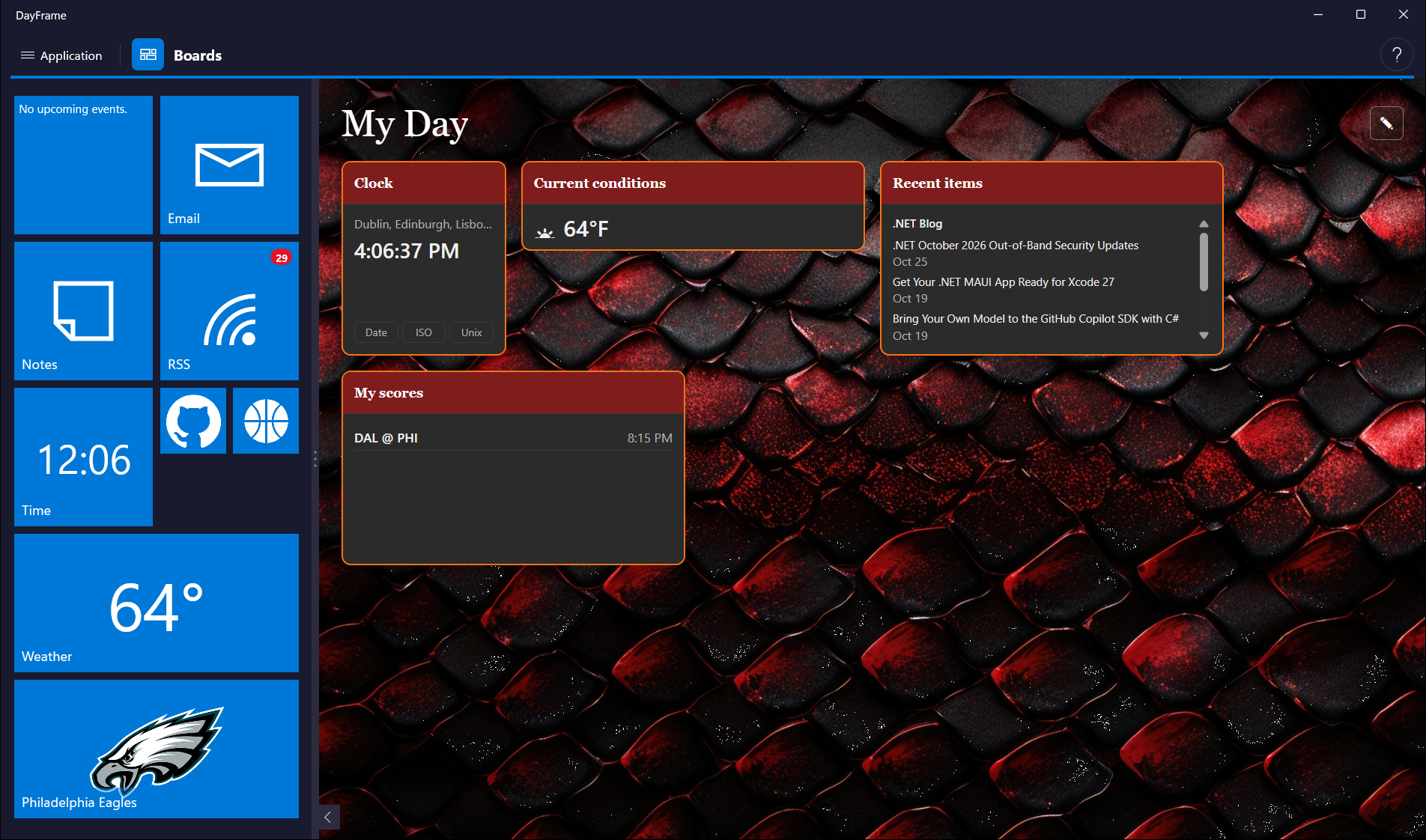
A board with the Dragon style applied
Your Stuff Stays Yours
This is the part I care about most:
- There is no DayFrame server. The app runs on your PC and talks directly to the services you
connect. No account to create, no telemetry. - Your data stays on your computer. Your sign-ins and everything DayFrame downloads stay on
your machine. - Email and articles are sandboxed. They render in an isolated frame with scripts turned off,
and remote images (including those sneaky one-pixel trackers in marketing email) stay blocked
until you allow them for that one message.
The privacy policy lists every service each module talks to and what it sends.
A Quick Note About Google Sign-In
Google is still reviewing DayFrame. Until that’s done, Google shows an “unverified app” warning on the consent screen (choose Advanced, then Go to DayFrame) and caps the app at 100 users. If you hit that cap, you can still add Gmail as an IMAP account with an app password, and that route has no limit. Calendar and Contacts from Google need the regular sign-in, but any CalDAV or CardDAV server works too.
What’s Next?
1.0 is a starting line, not a finish line. Here’s some of what’s on my list:
- Search across everything. One search box that finds that thing you know you saw somewhere,
whether it was an email, a note, a feed article or a GitHub issue. - More email. More than one Google account, a combined “All inboxes” view, and opening the
attachments people send you. - Real Windows notifications that take you straight to the message or event when you click them.
- More from Boards. Pop a board out into its own window on your second monitor, switch boards
automatically by time of day, and share a board you’ve built as a pack someone else can import. - More privacy controls. A list of every request DayFrame has made, and an Offline switch that
stops all of them. - New modules. Photos from the cloud libraries you already use, a task list that ties into your
mail and calendar, and more chat and social networks. - Tablets. Yes, really. The work to get DayFrame running on Android tablets and iPads has started.
And of course, more tile materials. I have ideas. Some of them are probably bad ideas. The slime
needs to slosh around when you move the window, for one.
What gets built first is up to you, though. The feedback board at feedback.getdayframe.app is where you can suggest a module or vote on what comes next.
For My Fellow .NET Developers
DayFrame is a .NET MAUI Blazor Hybrid app on .NET 10. The window, the tile rail and the toolbar are native WinUI through MAUI, and every module’s interface is Blazor running in a BlazorWebView, with both halves sharing one dependency injection container. Did I pick Blazor after a careful bake-off? Nope. I know Blazor and I could move fast with it, and I’d make the same call again.
The one rule that made all of this possible: modules never reference each other. Every module
depends only on a shared contracts library, and an architecture test fails the build if that ever
changes. That’s why the newest module costs about as much to add as the fourth one did.
The live tile itself started as Eduardo Gomez’s MIT-licensed TileX.Maui. I’ve extended it a lot, but the tile that flips was his. Thank you, Eduardo!
I want to write more about how DayFrame is put together: the module architecture, testing a Blazor
Hybrid app with Playwright, and building most of it with an AI coding agent that works under some
very strict rules. Which one should I write first?
Get It!
DayFrame 1.0 runs on Windows 10 (version 1809 or later) and Windows 11, on x64 and ARM64.
Get DayFrame from the Microsoft Store, or search for “DayFrame” in the Store app. The Store keeps it up to date for you.
If something breaks, Application → About → Copy diagnostics puts everything I need on your
clipboard (without any of your account details) so you can paste it into a bug report.
So… what would you put on your rail? Let me know in the comments below!
Come hang out and watch the next feature get built, live on Twitch.